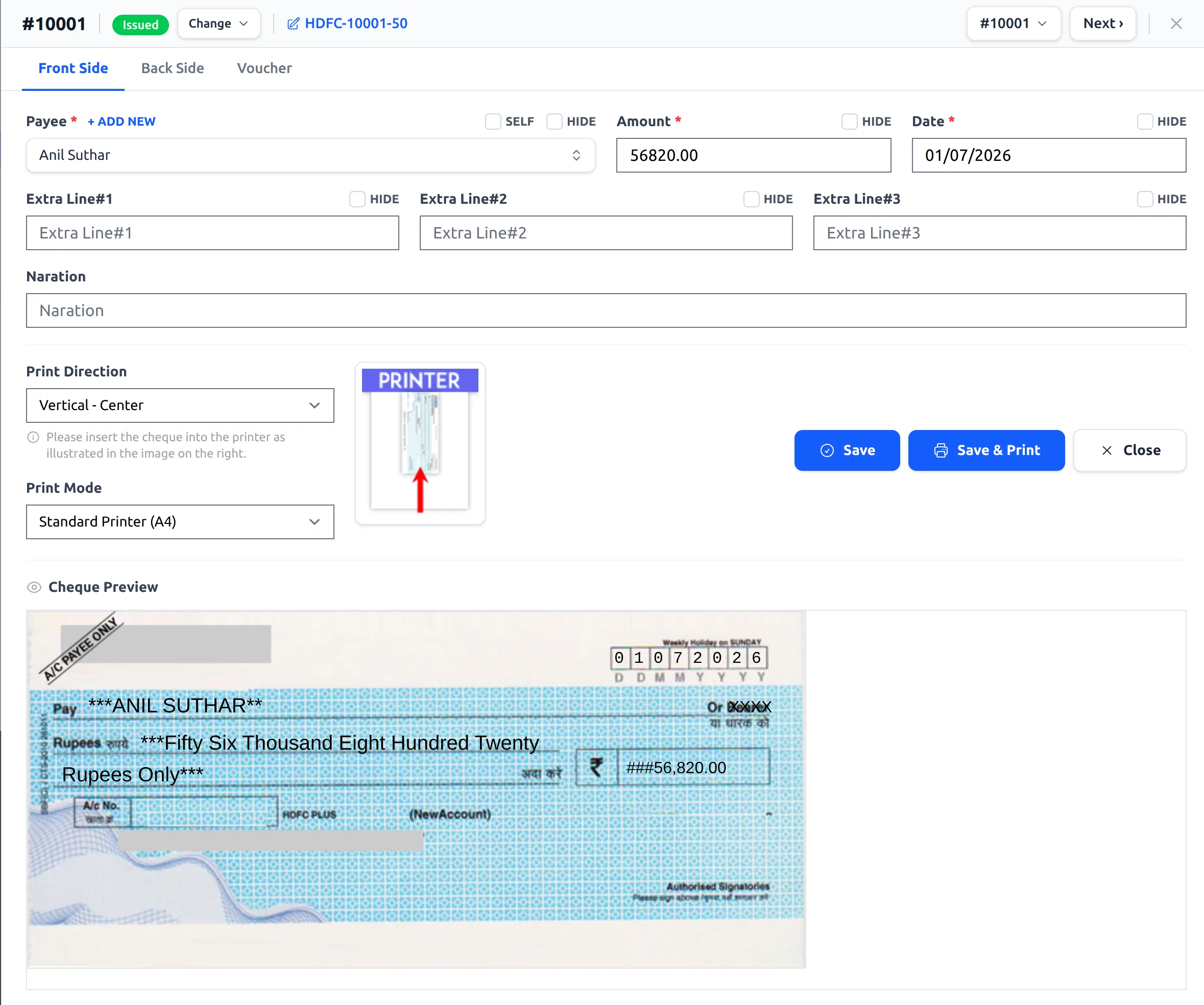
Made a mistake, or need another copy? You can edit and reprint any cheque.
- Go to Cheques, select the cheque book, and click PRINT on the cheque you want.
- The panel opens with the cheque’s saved details. Change the payee, amount, date or extra lines as needed.
- Click Save & Print to print the updated cheque.
Use the Prev / Next arrows (or the quick-jump dropdown) in the panel header to move between cheques without closing it.
Tip: If a cheque was spoiled, set its status to Canceled from the Change dropdown so your records stay accurate. See cheque statuses.
See it in the app