A cheque book links a bank account to a layout and holds the individual cheque leaves you’ll print.
Create a cheque book
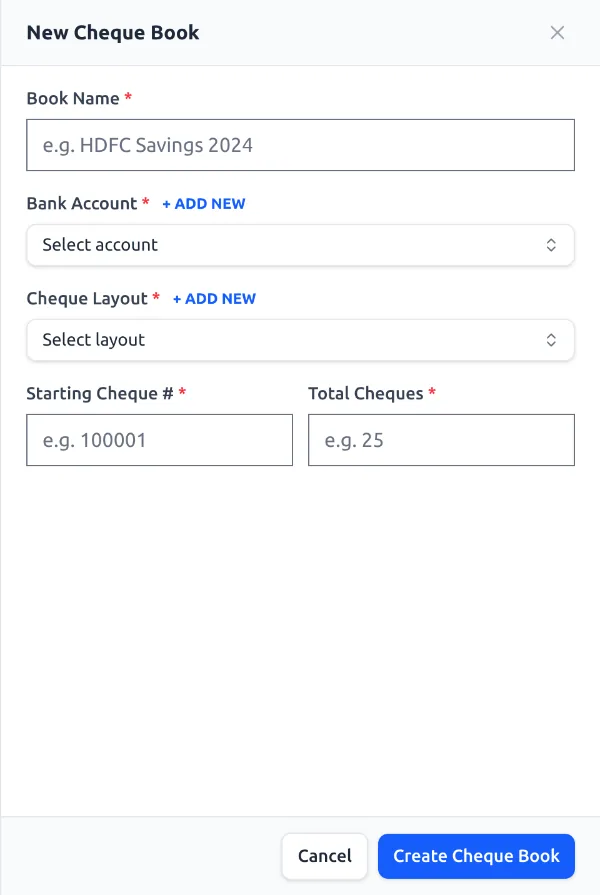
- Open Cheque Books → New Cheque Book.
- Fill in Book Name, choose a Bank Account and a Cheque Layout (you can add either inline if it doesn’t exist yet).
- Enter the Starting Cheque # and Total Cheques (up to 100 per book).
- Click Create Cheque Book — all cheques are generated as Unused.
Per-book settings
Edit the book → Settings tab to set the language, hide-currency options, and the A/C Payee, Bearer and Not above text, plus extra lines.
Tip: Mark a book Finished once it’s used up to hide it from the print list.
See it in the app