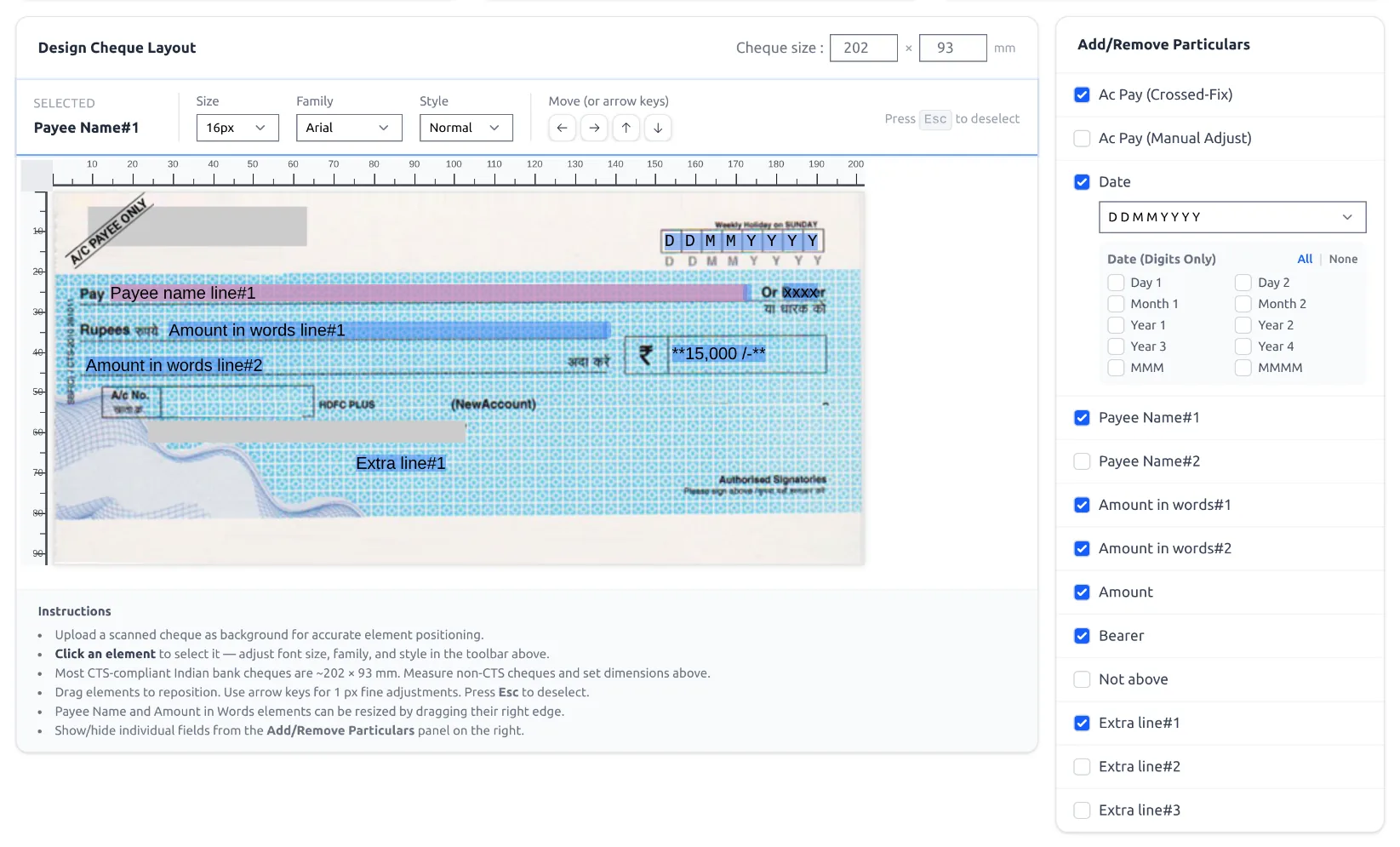
Banks print dates in different styles — boxed digits, DD-MM-YYYY, and more. ChequePot supports them all.
Set the date format
- In the layout editor, tick Date under Add/Remove Particulars.
- Choose from the date-format dropdown (12 options).
| Format | Example |
|---|---|
| D D M M Y Y Y Y (boxed) | 0 5 0 9 2 0 2 6 |
| DD-MM-YYYY | 05-09-2026 |
| YYYYMMDD | 20260905 |
| MMM DD, YYYY | Sep 05, 2026 |
Boxed cheques (digits in boxes)
Choose the Date (Digits Only) option and enable each digit (Day, Month, Year, and MMM/MMMM if needed). Drag each digit over its box, then use Align Digits to space them evenly.
See it in the app